Sunday, February 15, 2015

It's Time To Stop The Madness In The Market


When the topic of App numbers and quality of Apps comes up, everyone knows the Windows Store is a bit behind in some of the majors. Unfortunately, it seems like quantity is trumping quality as the rules have flown out the window as many developers are simply creating emulators of old ROMs that were borrowed from either old home video games or some oldie but goody computer games from the 90's.

The problem that Microsoft faces is that they need the numbers and the new blood that these Apps give the Store, even if they are completely illegal to produce. As it stands, I saw a quick list of about 100 Apps that needed to be removed right off the bat. While this isn't a huge number, the fact that they make up such a large percentage of the new and upcoming section is not good at all. If the developers in question had read the terms of their publishing agreement, they would know that they shouldn't publish ROMs that belong to other companies. They also should not be using the trademarked name.

If Microsoft is serious about improving the content of the Store, the first thing they need to do is clean up these titles and the other less than one star reviewed junk Apps. If that starts to happen, it would push developers to create content instead of stealing it. It would also great more solid content for every user.

Sent from my HTC One M8 for Windows
Powered by www.4GFastData.com

Thursday, February 12, 2015

Hardware Review: 6 Months With The HTC One M8 for Windows

2015-02-12 11.53.11

Back in August of 2014, HTC blew away the world with the announcement of the HTC One M8 for Windows… Then destroyed that excitement by making clear it was going to be an exclusive device to Verizon Wireless in the US. Of course, the threat of having to purchase a $600 phone doesn’t scare the average Microsoft user any more than it does an Apple user, especially when you know that Verizon devices ship SIM unlocked for use on GSM carriers world wide. So, the HTC One M8 for Windows became my daily driver and has had a home in my pocket ever since.

As my original review said, the design of the HTC One M8 for Windows is simply stunning. It is everything that the Titan and Titan II successor should have been, and more. The almost all metal body feels like gold in the hand. This can be a positive and a negative, but I consider the premium feel a major plus. Some complained that it was too slick, but that is nothing that an ultra thin TPU case won’t fix.

2015-02-12 15.45.01

THE CAMERA

Moving forward to the hardest sell of the HTC One M8 for Windows, the camera. HTC really gambled on the UltraPixel concept catching on, and for some it works like a charm. For others though, that 4MP “Duo Cam” was the bane of the One’s existence. Personally, I prefer the dynamic range of the One over any of the Lumia’s that I have. That is not to say that the camera is ‘better’ or ‘worse’ than a Lumia 925 or 1520, but it is different. The UltraPixel was designed for lightning fast shots that upload to social media and can be shared with friends. It takes great shots in lower light conditions and can even skip the flash in most scenarios.

IMAG00060IMAG00061

Above are two ‘close-ups’ with the HTC One M8 for Windows. The first is the same position as the second, but in full frame. The second is using the digital zoom. Now, here’s where it gets crazy – this is a dark room. In fact, here is the room itself used for the shot.

IMAG00063

For proof of concept here, you can actually see the two images above right on the screen where this image was taken. As you can see, the low light capabilities of the HTC One M8 for Windows are pretty fantastic. The speed and color reproduction of the camera are also amazing.

IMAG00053

A simple sunrise turns out to be a pretty phenomenal photo op when you don’t have to continuously mess with setting after setting on your camera. Of course, it’s not all roses and rainbows for the HTC One M8 for Windows camera. Absent from the hardware is the physical camera button. It was a change that took a long time to get used to, but after a bit, it became common place for me to just unlock and tap my tile to open the camera.

THE SOUND

2015-02-12 14.53.12

BoomSound is not just a gimmick as many have said. It really does sound pretty amazing in smaller rooms where you just want to enjoy your music. While I wouldn’t want to try to power a party from the HTC One M8 for Windows, it is easily enough to drown out the thoughts running through your head while studying or just relaxing. The sound is clean, has just a touch of low-end to it and for watching Netflix, Hulu or streaming some music, it BoomSound gets the job done perfectly.

THE SCREEN

2015-02-12 15.42.59

You can’t take anything away from the 1080x1920 display on the HTC One M8 for Windows. It is crystal clear and colors look fantastic. It is very well balanced and just shines, even at the lowest brightness settings. I prefer the ‘dark’ setting on my Windows Phone devices as the ‘light’ tends to produce a bit more grays at lower brightness settings.

THE PROCESSOR AND RAM
2015-02-12 15.42.17

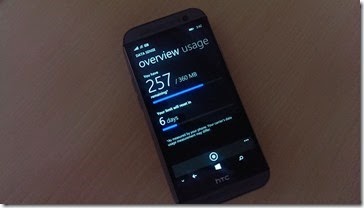
Almost a year ago, the HTC One M8 for Windows made it’s first appearance in Android form. The specs were ground breaking then and to Windows Phone users, they are still stellar. This is not a mid-range device by any means. It is a top shelf spec monster that will run the Windows 10 system like a dream later this year. The 2GB of RAM is still tops in the Windows Phone game and there seems to be little reason to think that anything is going to come in over that anytime soon. Perhaps if HTC decides to rollout the M9 for Windows later this year, we will see something with a bit more behind it, but it is completely unnecessary as the HTC One M8 for Windows powers through any tasks you can lob at it.

Media – Audio And Video
2015-02-12 15.41.42

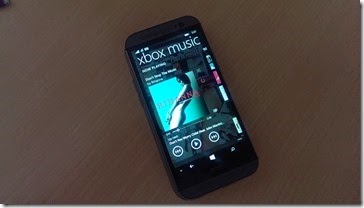
I already touched briefly on the gorgeous display of the HTC One M8 for Windows. That quality translates perfectly to watching entertainment on the device. Movies are clean and clear, and with proper encoding are stunning. Music is a bit of a so-close-but-not-quite-there thing. Xbox Music just doesn’t work well across platforms – yet. But that’s not an HTC issue, that is an issue with the system itself.

The new variant of the App does a much better job at organizing and allowing for creation of simple tasks like playlists and loading of album art. It seems to be much less dependent on WMP for help in the latest rendition, and that’s a good thing. The player itself is still great, though I do miss that classic ‘Zune’ interface from Windows Phone 7. Compared to Google’s Play option, I’ll take the Xbox Music platform any day of the week.

DAILY USAGE
2015-02-12 15.41.35

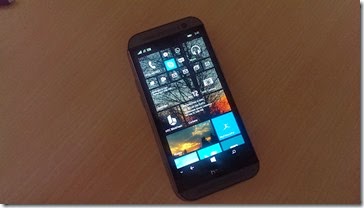
This is always the category where, no matter how many Apps Android lands ahead of Windows Phone or how many people complain about this or that when Windows Phone is brought up, I have no problem recommending Windows Phone as a daily driver. The system is just buttery smooth. It does what it is supposed to and it just doesn’t fail. It fits perfectly with the HTC One M8 for Windows motto, Built To Inspire.

Windows Phone is simplistic, yet powerful. The HTC One M8 for Windows takes advantage of the OS by leveraging its top notch hardware against an OS that is so resource free, that it almost isn’t fair. I know it sounds crazy, but I’d almost rather see HTC run some lower end Windows Phones out there instead of throwing hardware this advanced at it. Sure, the HTC One M8 for Windows blows away almost everything else on the market, but one of the beauties of Windows Phone is that a Lumia 520 runs it. When Microsoft started the new Windows, they had recommended hardware specs that manufacturers followed. Today, it’s open season.

The HTC One M8 for Windows is still my daily driver, even though I’ve moved on from the Verizon family and don’t have the ability to setup picture messaging on the device due to the fact that Verizon disabled the MMS editing function. Side Note - Hey Verizon – stop killing features for no reason!  Even still, the HTC One M8 for Windows is still the device I carry over my Lumia 1520 and the one that allowed me to sell my beloved Lumia 925. The fact that it is missing some major functions like USB OTG, the Lumia exclusive software and the HTC Android software leaves me in a funky place, but not funky enough to make me leave it behind.

THE BOTTOM LINE
2015-02-12 11.53.11

I am ending this with the same image that started it for a simple reason. The HTC One M8 for Windows isn’t still just a relevant phone after 6 months of being on store shelves. To me, it is still the absolute best Windows Phone available on the market today. Period. Sure, if you want a 6” device in your pocket, that Lumia 1520 will give it a run for it’s money, but the fact that the 1520 is still a locked exclusive to AT&T and is hard to find in a 32GB model, I have to give the edge to the incredible build quality and stunning looks of the HTC One M8 for Windows.

If you haven’t looked at the HTC One M8 for Windows you owe it to yourself to get into a store and check it out. That next phone you purchase may just be the HTC One M8 for Windows.

Tuesday, February 10, 2015

The App Gap: Why I Can’t Leave My Android Device At Home Just Yet

image

It says it right there, “The apps and games you want,” but how accurate is that? Does the Windows Store really have all the apps and games I want? If not, how close is it to being a reality? Well, let me just say that, for me, it’s not very close. In fact, between my banking App, Amazon services and a few others, there’s really no way I can leave Android completely. If Windows doesn’t start getting some of these crucial apps for me, I might consider just carrying one device again, and it won’t necessarily be a Windows device.

image

First up, and yes, I am going alphabetical here, is my Amazon Seller App. This App is used to list items in my Amazon store. While I don’t usually have a ton to list, the fact that I can list, load images and start selling items via my mobile device is huge. It saves me time, money and makes life all together easier.

image

I’ll be honest here and say I have thought about switching banks to something that supported Windows Phone in the past. Unfortunately, that means Wells Fargo right now. Wells Fargo doesn’t have the banking options that BECU does, nor do they offer free checking accounts without direct deposit. That’s just not in the game plan for me, so sorry, this is another no go for me leaving my Android device at home.

image

I know what everyone will say… That’s a Google Thing!

That doesn’t make it easier to deal with Android friends though. Sure, I can tell them to use Facebook Messenger or try Skype, but so many people use Hangouts now that you can replace your SMS program with it. Its crazy to think about the fact that I can send messages via data instead of paying for texts. Plus, you can work in the Wi-Fi calling via Hangouts Dialer and get even more for free. Did I mention that my business uses a Google Voice number? Hangouts is even more awesome as I can have two lines on one device. Unfortunately, there’s zero options for integrating this to my Windows Phone. I can forward the number and texts from my Voice number, but that’s about it.

image

Bring it on! Microsoft rules remote PC access, unless you can’t use it with your Windows Home version or you can’t get a fixed IP to direct it to. Chrome Remote is the only reason I leave the Chrome browser installed on my computers. It’s fast, easy and works like a charm every time. If Microsoft would step up their remote solutions to be an email log in style, I’d be able to skip out on this one completely. Until then, for some reason, Android works better for accessing my PC’s from the road.

image

Why is printing from your phone so difficult? Google made it pretty easy with Cloud Print. Microsoft, well, it’s a mess. So far I haven’t found an App to make my HTC One M8 for Windows print to my HP printer. I can scan from it and send photos to it, but when it comes to PDF’s or Docs, good luck!

Maybe someone will come up with something that is free and works well. Until then, I can open my Office docs on my OneDrive for Android and Cloud Print them from there. How messed up is that?

image

Klout is my go to for measuring my social media success. Generally, my score hovers in the upper 50’s to low 60’s. I’m not a powerful social guy because I keep my Facebook lists short and my twitter usage spread over a few brands. I’m not looking to start a monstrous following, but I like to see the content and people to follow. My favorite aspect of the mobile app in Android is that I can ‘schedule’ published content via drag and drop rather than having to cut and paste from the browser. Again, one of those Apps I use every day that hasn’t found a home in Windows.

image

Running a small business is hard. Doing it without the ability to accept debit and credit cards on the go is almost impossible. Square has been around since my Evo 4G and that was right after my Touch Pro 2. Simple, easy and accurate. Square makes accepting payments on the go quick and simple. Windows Phone has no real alternatives to this one, nor do there appear to be many options on the horizon. Hopefully the PayPal thing will work out soon so we can try that out, but for now, Square is the man on Android.

image

This one KILLS me. I know people will say that you can edit an APN in Windows Phone until the carrier’s disable it – but that’s the problem – they CAN disable it. With all the available options for killing phones and blacklisting them, editing APN’s should be a standard feature. With Android, pretty much any device can be edited to work with any network – as long as the technology is the same. My HTC One M8 for Windows from Verizon won’t allow me to send MMS messages on other networks (though the rest of the functions work just fine) because there is no option to add a new MMS APN. It’s simply foolish and only hurts the end user.

image

I know that Windows has it’s own version of UC, but the Android App is so much more powerful. UC Browser on Android is so stinking awesome, it really replaced a few major Apps on my HTC One M7. It’s integration with Facebook and Twitter are phenomenal. The compression features work well on 2G, 3G and even LTE speeds. The quick start screens and home screens are almost ‘app like’ in their usefulness. Overall, UC isn’t a browser that I use on my phone, it’s an OS that runs some killer Apps on top of Android. It’s that good. The Windows Phone version is a good browser, but it’s not as strong as IE, nor does it have the ‘baked in effect’ that IE delivers. Maybe with Win10 UC can up the game and bring a better version to Windows, but until then, the Android version reigns supreme.

Other Important Apps that I use regularly on Android that haven’t found a home on Windows yet are the following: Smartphone Mate, Google Rewards, FreedomPop, DLNA players, and All Cast. Fortunately, my OneDrive saves my content between the devices very nicely and plays well on any major platform so I can get around pretty well on multiple devices without much issue. We all know Windows has quite a bit of catching up to do, but will Windows 10 be that time that everyone takes the plunge or is it too late to save the major designers?

Monday, February 9, 2015

Get 100GB Of Free OneDrive Storage For 2 Years

image

It’s not like Bing Rewards wasn’t cool enough already, but it just got a bit more awesome, for FREE. That’s right, free is one of my favorite terms, and Bing Rewards delivers quite a bit for me already. First off, I rack up my daily search points and get my Hulu+ membership paid for through them. Today though, today brought sometime special from the folks over at OneDrive and Bing Rewards. Right now you can hit the Bing Rewards and sign up.

Then click this special link (which you can view in the daily tasks if you don’t believe me) and claim your 100GB of FREE OneDrive storage for the next two years. Now, this isn’t limited to Windows Phone users, so you Android and iOS people can jump in on this too. Heck, even if you just want the cloud storage for your PC, it’s a steal.

So, stop reading, and hit the Bing Rewards page and sign up. Then hit the OneDrive offer and enjoy the free space for all those photos, videos and music you have on your drives. You can thank me later!

Sign Up For Bing Rewards Here: Bing Rewards
Free 100GB Storage Space Link: OneDrive offer

Updated: FreePrints Leaves Windows Phone - Then Comes Back!


Yes, I'm aware that Windows Phone is already dead, at least in name, but the platform itself is at a serious tipping point right now and it looks like it's tipping the wrong way. After the news that many larger banks are pulling the plug on their Windows operations, yet another developer doesn't see Windows as the wave of the future. The popular photo software, FreePrints will be shuttering their Windows based services on March 1, 2015.

FreePrints is a service that allows a user to upload images from their device directly to their servers and order prints of them. The prints are run a a very low cost or free, and shipped to the user. Without viable options from other vendors, FreePrints was one of the ways that you could do direct to print images from your Windows device. There are still a few others in the Store, but losing an App of this caliber is a definite blow to the community.

FreePrints closes the email with the fact that they will continue to offer their Android and iOS Apps and services going forward.

UPDATED 2/11/15 - Great news! It looks like FreePrints has reconsidered their pull out from Windows Phone! In an email this morning, FreePrints recommitted to the Windows Phone platform and were "moved by your enthusiasm for FreePrints." Here's the email below:


So, for the foreseeable future, FreePrints is on Windows to stay and we can't thank them enough for sticking with the platform.

Sent from my HTC One M8 for Windows
Powered by www.4GFastData.com

Thursday, February 5, 2015

App Review: Class Up Your Tweets With TweetNote

wp_ss_20150203_0005wp_ss_20150203_0007

If you’re a Twitter user, you know what I mean by that 140 character limit getting in the way sometimes. It’s such an issue, there are services like TwitLonger and TweetMore. Well, as usual, most of the third party solutions for extending those tweets just don’t come into play for Windows Phone users. Fortunately, there is an App called TweetNote in the store. TweetNote takes a different play on extending tweets by creating an image of your tweet that will take up to 2600 characters. That’s no slouch of a tweet there.

The App itself is very functional and simple to use. Tap the tile to open TweetNote, press the “about” question mark at the bottom of the screen and tap the “Login with Twitter” button on the next page. This will allow you to post directly from TweetNote. If you choose to skip this step, you can still publish via the share button on the main pages. Once you are logged in to TweetNote, go back to the main screen that will eventually be a list of tweets. For now, you will just see the sample message. Press the (+) button to create a new TweetNote.

wp_ss_20150203_0003wp_ss_20150203_0006 

Once you are in the main screen, you have the option to name your TweetNote and type the message below. At the bottom of the screen, you will see a few options. The first is font style. The second is font color. The third is font size. The fourth is the background color. These four quick access options make TweetNote very easy to customize and will let you put your own stamp on your tweeted image. With just a few clicks of your virtual keyboard, you are publishing your gorgeous 2500 character rambling about whatever is on your mind. TweetNote couldn’t be much easier to use, unless they made it read your mind and published your tweet for you.

Now, something that is worth noting, especially for marketing people that are finding this as a brilliant alternative to those standard, boring tweets… Your image will not have clickable links. TweetNote produces an image of your tweet, not an actual text based tweet. This means you would have to share your image via a third party solution (or via the Twitter App itself) and put the clickable link in the text from that post. It’s a small thing to work around, and honestly, I have no idea how TweetNote could possibly link to an external source, but for some it might be tough to figure out. Either way, TweetNote is a great marketing program for social marketing experts and the flash and flair you can add to a basic message is perfect.

TweetNote is $1.29 in the store and is only a 5 MB download. This simple shell is amazingly fast and easy to learn. If you are looking for a way to add some fun to those tweets, hit up the Store and grab yourself a copy of TweetNote by clicking the download link below.

Download Link: TweetNote

Wednesday, February 4, 2015

Dear Microsoft…

wp_ss_20150201_0007wp_ss_20150201_0008

Dear Microsoft,

I know this may come as a shock to you and your programmers, or not, but did you know that my Windows Phone using Internet Explorer thinks that it’s an… Wait for it… Android device? Yes, that’s correct. Your gorgeous beautiful device chain, from the Lumia 1520 to the HTC One M8 all believe that they are Android powered when you visit popular sites like Amazon.com.

wp_ss_20150201_0009wp_ss_20150201_0010

In fact, to make it worse, when you click on the “Get The Amazon App” link on the mobile page, it prompts you to install the – ANDROID APP! You might think that this is a simple issue, with no real ramifications, but what if, and maybe it could be, what if those market share numbers are skewed for all the wrong reasons and we are all getting counted as Android devices? What if Windows Phone is doing so much better than we think, but Bank of America and Chase users are being seen as ANDROID users on their mobile sites?

I’m not screaming conspiracy theories or demanding a fix, but it sure would be nice if things like this stopped happening. If I wanted to be carrying an Android powered phone, I would switch back to my HTC One M7 and call it a day. Instead, I love showing off my M8 for Windows, but it’s a bit embarrassing when I take someone to Amazon and my phone says it’s a Droid. Please think about getting this recoded for Windows 10. It would be nice to have it all pretty and fun when I share my stuff!

Thanks,
Me