Wednesday, October 15, 2014

Windows Phones Take 4 Of Top 10 Spots In No Contract Phone Sales

image

A really decent indicator of how well devices are selling is the top 10 list on Amazon.com. They have contract devices, which usually varies by which device just came out, and the non-contract sales, which usually are an indicator of longer term sales. Fortunately for Windows Phone owners, the Nokia Lumia line is cleaning up the non-contract department and blowing away the competition with their sub $100 offerings.

Currently, the Nokia Lumia 520 is featured in the #1 spot, as it has been for quite some time now. The $48.93 price tag is unheard of for such a quality device. The best part is, this is a no contract rate, which means you could take that AT&T GoPhone device and use it with a Red Pocket Mobile plan from www.4gfastdata.com. It’s a double saver.

The rest of the top 5 is a smattering of Android handsets ranging from the gorgeous new HTC Desire 816 for Boost Mobile, the ultra low cost LG Optimus Dynamic for TracFone and the Virgin Mobile offerings of the LG Volt and Samsung Galaxy S III. Spots 6, 7 and 8 all belong to the Lumia’s again.

The Nokia Lumia 521 places 6th, with a $67.19 price tag. That’s followed by the AT&T version of the Nokia Lumia 635 and the T-Mobile version places 8th. The iPhone 4 16GB and LG Optimus Fuel finishes out the current Top 10 non-contract devices.

Visit the Amazon.com Top Non-Contract handset list today and see what you might want to grab for your next no-contract handset.

The Move From Nokia–What’s Missing?

2014-10-14 12.08.29

When the HTC One (M8) for Windows was release in late August, there was a severe party happening in my head. Finally, after almost 2 years away from my beloved Titan, I was coming back to HTC for a real Windows Phone. Don’t get me wrong, the HTC 8x was a good device, but compared to the powerhouse devices that Nokia was throwing out there, it just didn’t measure up very well. Fast forward a few months in to my journey with this new titan of a phone and I can tell you that there is something missing with the M8 that I just didn’t account for entirely.

First off, missing out on the Nokia suite of Apps didn’t seem all that bad at first. Yes, I miss Nokia Camera, MixRadio and Play To. They were huge reasons why I was able to avoid going back to Android for so long. Losing them was like losing my wallet, it sucked, but I was able to get everything to work again. With Apps like OnePlayer and the advanced HTC Camera features I didn’t miss them too much. But…

As I drifted into the device itself, there were many pieces missing from the functionality of Windows Phone that I just didn’t realize were Nokia-centric. Starting with the looks, the Nokia Display App features a way to edit the color profile of the device and set it up to save battery with the brightness control. That’s missing from the M8. Next we jump in a bit further with the Touch menu found on the Lumia series. This includes double tap, navigation feed back and the touch sensitivity settings. Again, missing on the M8.

Moving onward, glance is gone, though the Dot View case sure does a nice job of filling in for glance. Access Point is gone as well. There’s no adjusting both the data and MMS APN’s on the M8, just the data settings. Device hub is missing also. In fact, one of the best features of Windows Phone for me personally was the call+SMS filter App, which isn’t actually an App, but a part of Nokia’s firmware!

Overall, I don’t regret the move back to the gorgeous HTC handset that I have grown to cherish in the last month and a half. In fact, it’s quite the opposite, I love my HTC One (M8) for Windows more than any of my Windows Phone devices so far and can’t imagine having to carry anything else at this point.

Halo: Spartan Strike Due In December

Halo: Spartan Assault Review

In a follow up to the monstrously successful Halo: Spartan Assault, Microsoft is planning to release Halo: Spartan Strike to Windows and Windows Phone in December. The top down shooter should be similar to the first title, but has a few new features that should make everyone happy.

- It will be a universal App for Windows and Windows Phone

- Progress earned on one device will transfer to another

- Should run on smaller 512MB devices without any issues

Just those three little fixes going forward should help the franchise gain quite a bit of mobile ground. Look for Halo: Spartan Strike this December in the Windows and Windows Phone stores. 

Tuesday, October 14, 2014

Using Bing Rewards For More Than A Gift Card

image

One of the more common questions I get asked is how do I use my Bing Rewards credits. My answer is simple, Bing Rewards pays for my TV service. Yes, my Bing Rewards actually covers my TV costs every month, and then some. By using my rewards to purchase a month of Hulu+ for 420 credits (with gold discount), I am able to shave almost $10 a month off my bills.

The even better part to this is that on a standard day, you can earn 15 credits for PC searches and 10 credits for searching from your Windows Phone. You also get credits for doing the daily activity. This means 25 credits can be had daily, or about 17 days of just doing that will get you gold status and a free month of Hulu+.

There’s nothing fancy about this one. It’s relatively simple. Signup for Bing Rewards, search with Bing daily and get free Hulu+ service. Does it get better than that? Remember, that Hulu+ subscription goes with you to your Windows Phone, Windows Computer (web also) and just about any other platform you might have. It’s a great deal for catching current run TV and old favorites.

Sign up for Bing Rewards and get the Windows Phone App

Sign up for Hulu+ and get the Windows Phone App

Grab An HTC Dot View Case For Under $15!

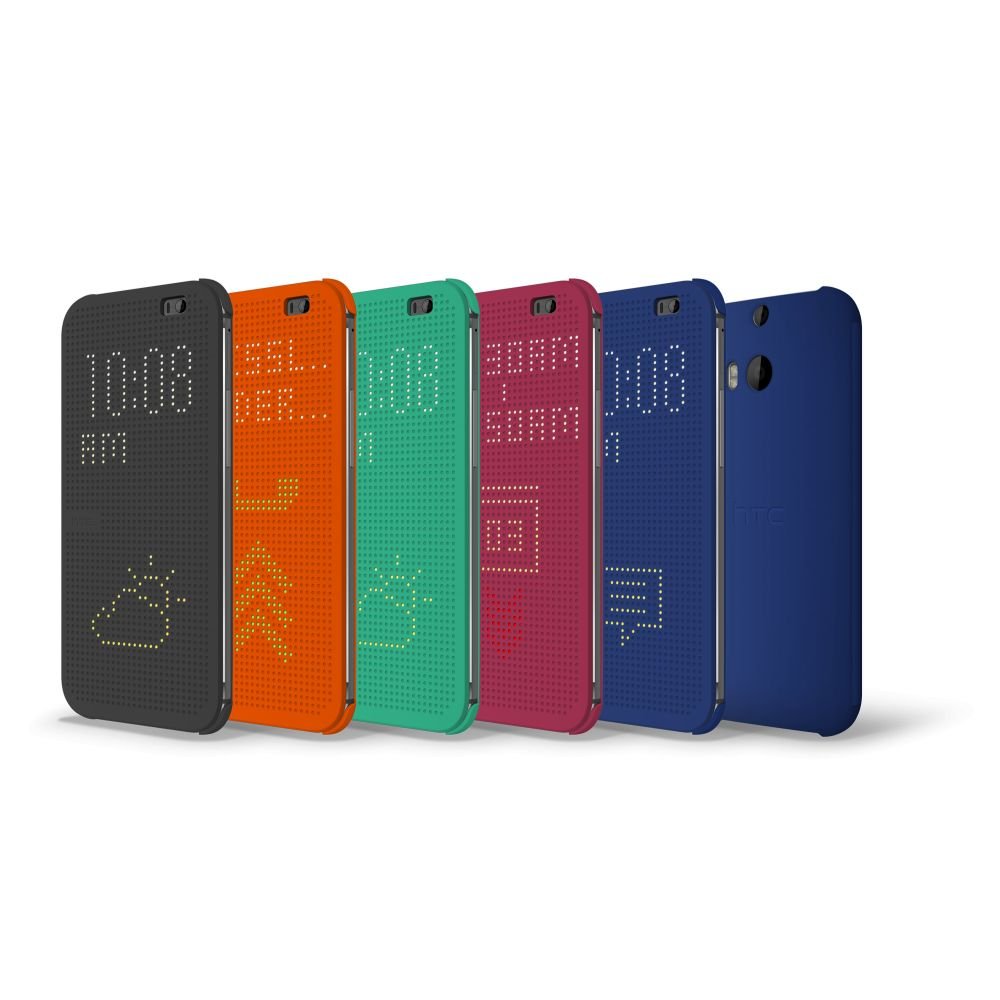
When 3rd party sellers get a stock of something nice and mark it down to an incredibly low price, I take note. Today is one of those lucky days for HTC One M8 for Windows users. The HTC One M8 Dot View Case can be yours for a measly $11.99-12.99 depending on color selection.

The case is available in Blue ($12.99), Gray ($11.99), Orange ($12.99) and I’m going to call this Raspberry, not purple for $12.97. The Dot View software for Windows Phone just got a major update that included call history display, Dot View backgrounds and a few other nice tweaks. The Dot View case is really a good addition to your M8 even with the so, so protection standards. The Dot View is more of a functionality cover rather than a protective one.

That said, the hard backing keeps your aluminum body safe from scratches, the offset protects the camera lens and the front cover provides a decent layer of protection to the screen when it is in your pocket or bag. With external Caller ID and no open answer, the Dot View is a great case.

Purchase Here: Amazon Link

Get Your Windows Phone On The Big Screen With Roku

clip_image001

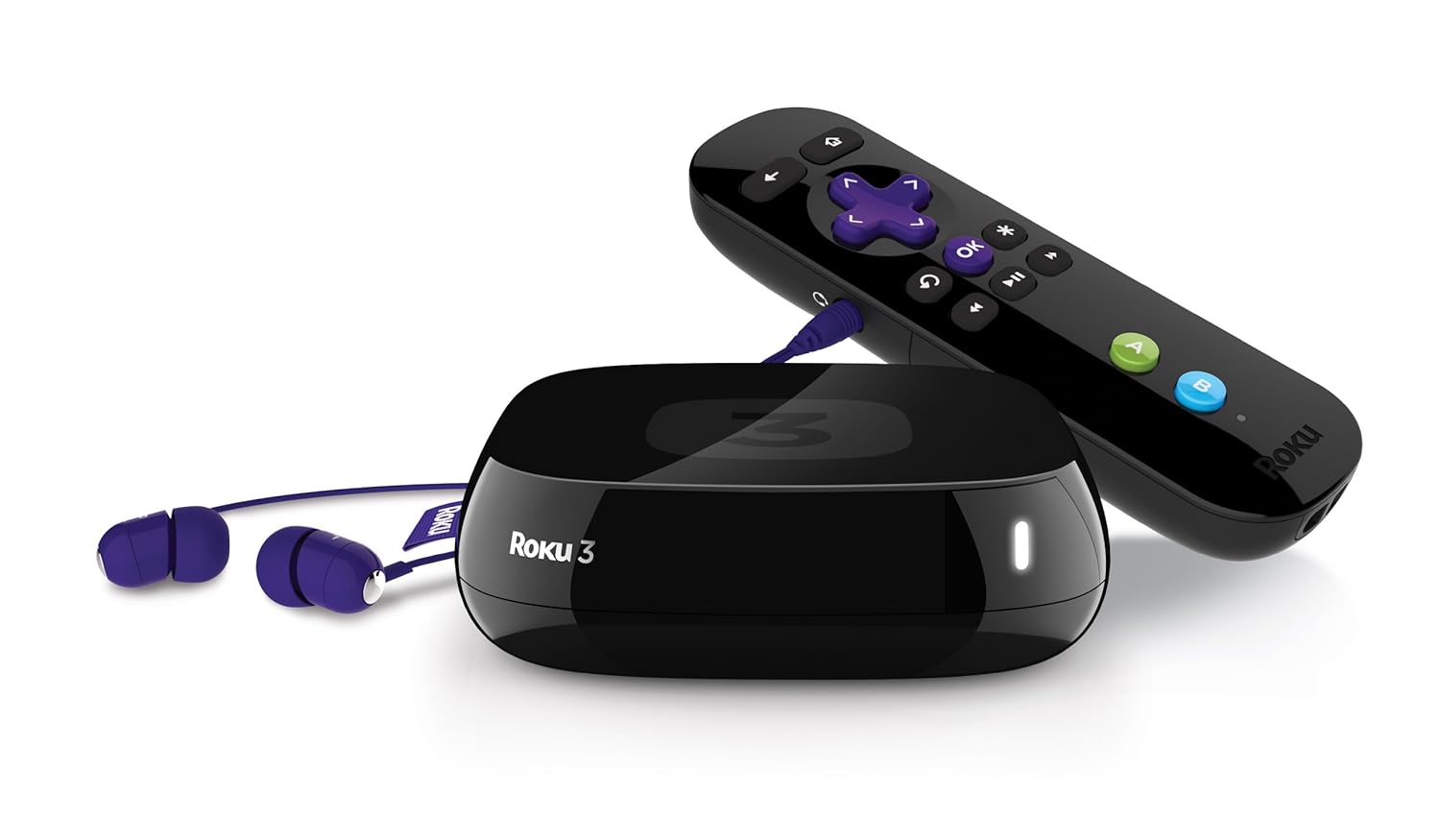
Have you been wanting to get your Windows Phone on that big screen TV? What about working on your Surface’s Office Docs in a bit bigger view? Thanks to the good folks at Roku and their Roku 3 and Streaming Stick, you can.

First up, we have the Roku itself. If you haven’t heard of it, the Roku Player is a very simple set-top box that allows you to view channels like a TV mixed with a computer. There are channels for Netflix, Hulu+ and many more. The Roku 3 and Streaming Sticks even run off Wi-Fi so there are no pesky network cables to run, eliminating the mess of wires there. I’ve had my original Roku 1 for over 8 years now, so I know that they hold up just fine.

The Roku 3 and Streaming Stick both use the Miracast technology to stream content from your Windows 8 and Windows Phone 8 device. It’s as simple as hooking up your Roku player (which you can install the Roku App from the Windows Store instead of using the remote) and mirroring your content. Not much else is needed.

You can grab a Roku 3 or Streaming Stick for under $100 and under $50 respectively by clicking the link below. Happy casting!

Purchase Links: Roku 3 or Streaming Stick

Monday, October 13, 2014

Got A Windows Phone? Get Perk TV And Get Free Stuff!

image

If there is one thing I like better than new phone accessories, it has to be getting new phone accessories with bonus points or rewards programs. Most of us are members of Bing Rewards, others are SwagBuckers, but not many have ever heard of Perk.com and their great Perk TV App for Windows Phone.

Perk TV, is the App that you need to start racking up 400-500 Perk Points a day. At 5,000 points, you get a $5 gift card to places on their list of options. These options include Amazon, Staples, Target, Starbucks, Foot Locker and tons of other choices. I’ve found the best way to maximize my earnings is to simply start my Perk TV App while my old Lumia 925 is sitting on a Qi charger and let it go over Wi-Fi for the day. About every 3 hours, I need to check in on it and tell it I am still watching, but other than that, I just keep racking up rewards points.

So far, in just a few months, I have tallied up over $50 in Amazon cards (500 points a day for 10 days racks up a $5 card.) I also got a few bonuses for being a new user, sharing on Facebook and Twitter and even completing a few of the activities. So, if you are up for a bit of an adventure in earning some free stuff, check out Perk.com at the link below and sign up. Then download Perk TV and start earning from your Windows Phone.

Sign Up Here: http://perk.fm/4irb0

More to click:

Have an old Android device and want to do something awesome with it? Hit this link to sign up for Swagbucks and earn even more rewards!

Visit Bing Rewards and sign up if you aren’t using it on your Windows Phone as well.